
Transform Your
Wine List Into An
Interactive Web Experience
Upload your stocktake Excel, map your columns, and get HTMX snippets that query your API to display beautiful, interactive wine lists with custom styling.
Upload Excel
Upload your stocktake excel file and parse it in a matter of seconds
API Integration
HTMX snippets query our API dynamically
Rich Insights
Analyze pricing, geography and trends
Ready to Print Wine lists
Create stunning wine lists with custom styling ready to print in PDF format
Powerful Features
For Wine Professionals
Everything you need to transform static wine lists into dynamic, interactive experiences that engage your customers and provide valuable business insights.
Excel Upload & Mapping
Upload your stocktake Excel files and easily map columns to extract the data you need.
HTMX API Integration
Generated HTMX snippets seamlessly query your wine data API to display real-time, interactive wine lists on your website.
Analytics Dashboard
Get insights into price distributions, geography mapping, wine varieties, and customer interaction patterns with your wine list.
Custom Styling
Choose from beautiful themes and customize the appearance to match your brand. Your wine list will look perfect on any website.
Data Processing
Your mapped data is processed and stored in our database, ready to be analyzed and visualized.
Generate Wine Lists
Create ready-to-print wine list pdfs with ease. No more fiddling around with excel, alignment and pages.
HowWinebucketWorks
From upload to deployment in minutes. Our streamlined process makes it incredibly easy to get your wine list online with rich interactive features.
01
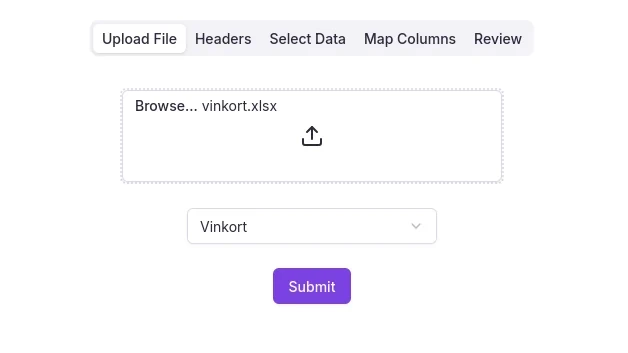
Upload Your Excel File
Upload your Excel stocktake file and select the sheet you want to use.
02
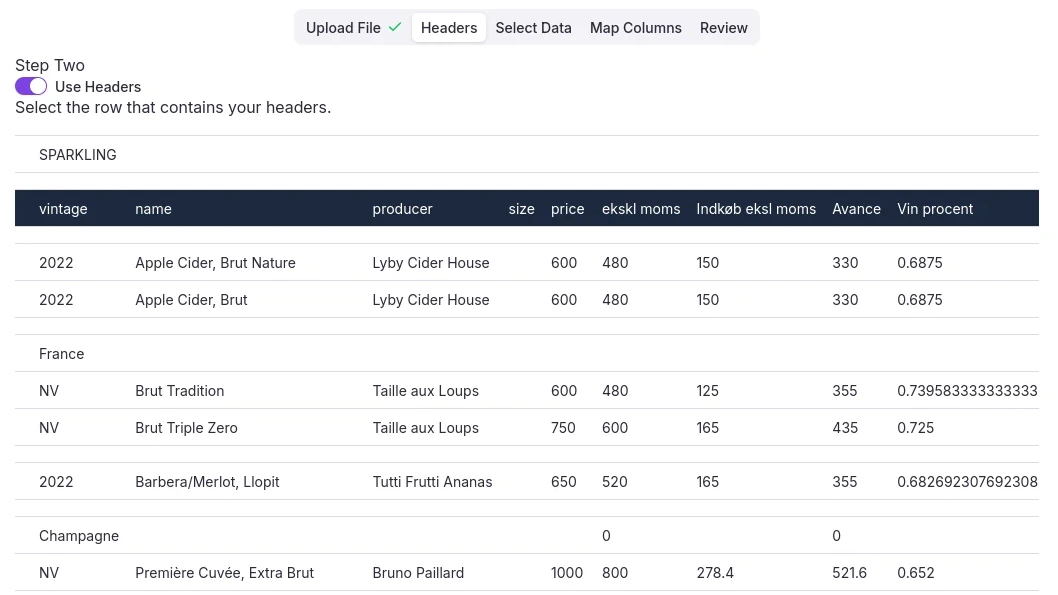
Select header row
Select whether your sheet has a header row, and select the header row, or row with first data if headers are not used.
03
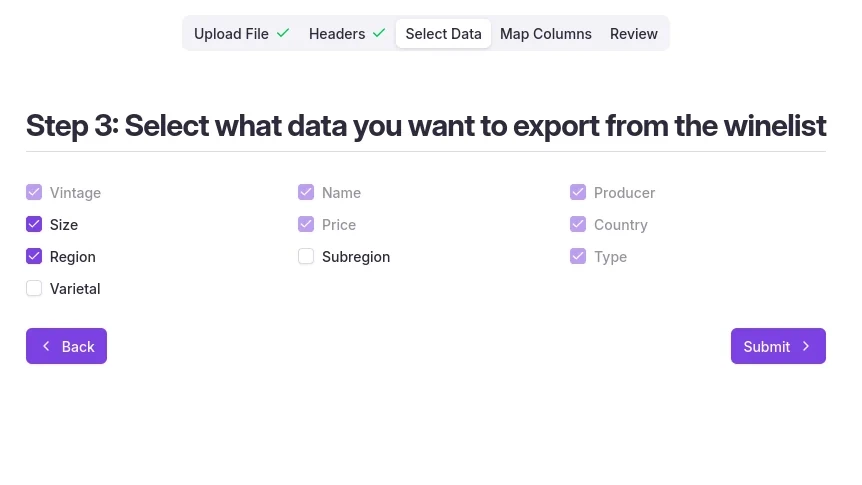
Select data for extraction.
Customize what data you want to extract from your Excel file, and the granularity of the data.
04
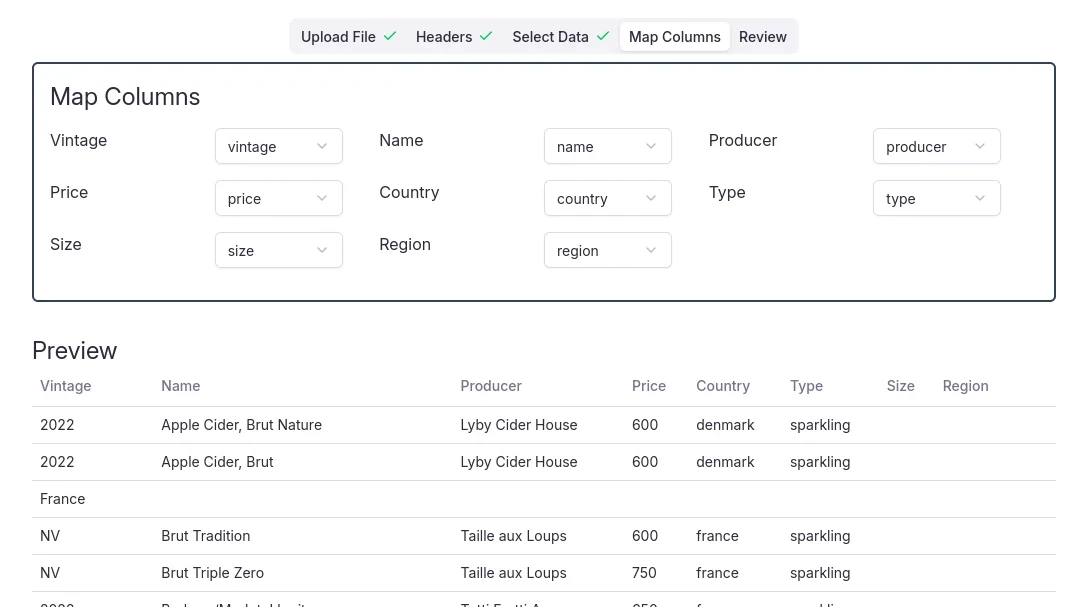
Map Columns
Mapping your columns to our predefined schema, takes a matter of seconds, and the extracted data is previewed in real-time.
05
Review
Review rows that contained errors and accept the extracted data, or start over.
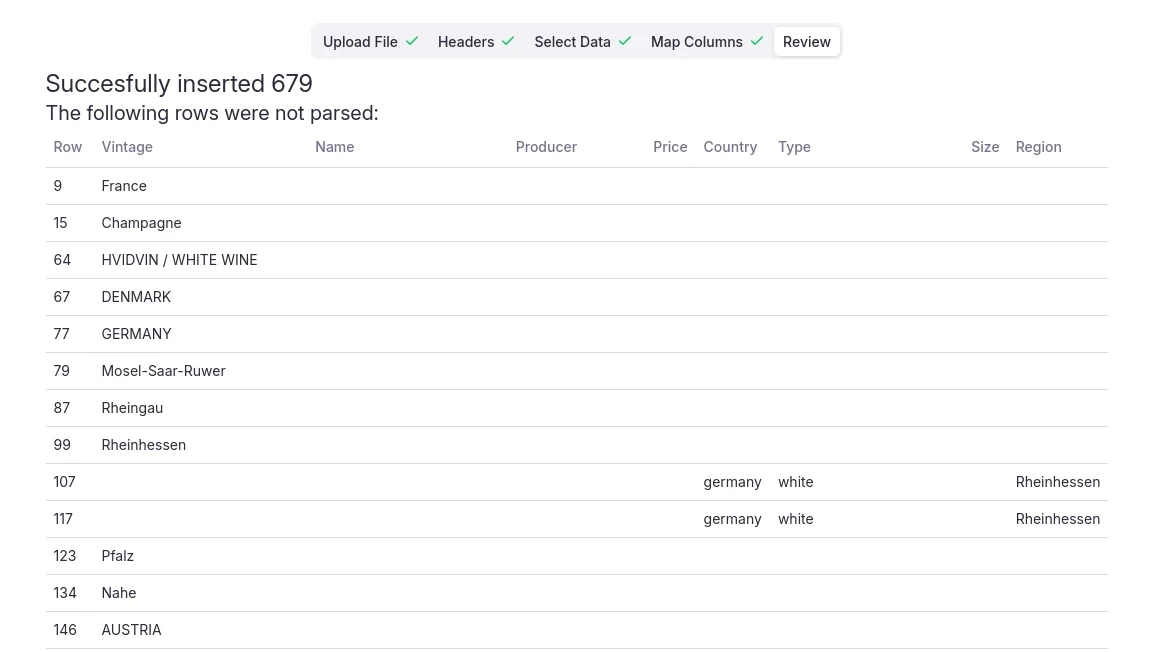
In just 5 easy steps your data is ready for visualization and embedding your wine list on your website
Ready to Transform Your Wine List?
Join the wait list to either get an early invite, or get notified as soon as we go live!